
Step 1: Configure Device
- Open the application and accept the requested permissions.
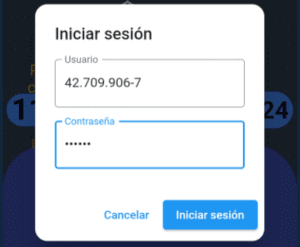
- Select the login option for administrators.

- Enter the provided RUT and password for the test:
- User: 42.709.906-7
- Password: google
- Go to the settings in the menu.
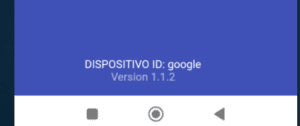
- Edit the Device ID, setting it to “google”.
- Once the ID is saved, log out of the administrator account and restart the application.
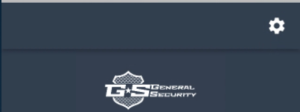

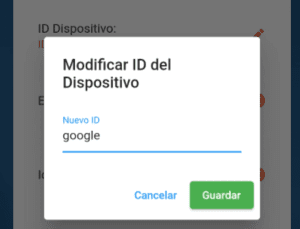
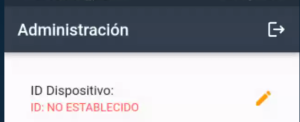 and restart the application.
Step 2: Login for Security Guards
- Open the application and ensure the device is synchronized (it will verify the previously added identifier).
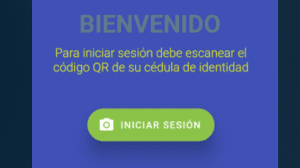
- You will see an enabled button to log in as a guard. Select it.
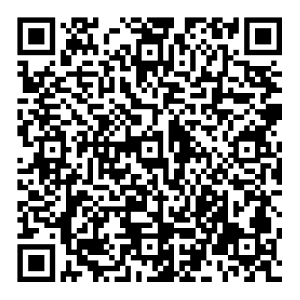
- Use the device’s camera to scan the provided ID card for the test.
- Once the QR code is scanned and the session is validated, you will be able to view the main menu, which includes options to register entries and exits as well as the application’s patrol options.
 Once the QR code is scanned and the session is validated, you will be able to view the main menu, which includes options to register entries and exits as well as the application’s patrol options.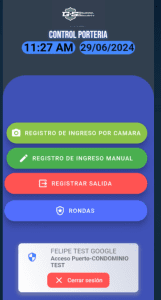
Step 3: Test the Application
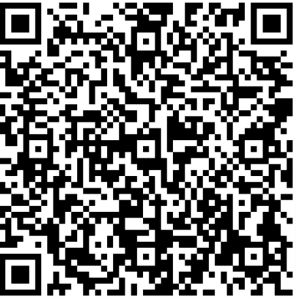
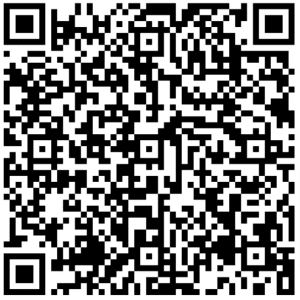
Once inside the application, you can enter or verify access authorization for individuals either manually or using the camera. The following test visitors have been provided:
Authorized Visitor:
- Name: CARLA TEST GOOGLE
- RUT: 72.704.147-8
Unauthorized Visitor:
- Name: JAVIER TEST GOOGLE
- RUT: 95.112.892-9
Unregistered Test RUTs:
- 25.621.788-0
- 68.271.058-6
- 17.501.974-K
Other options in the application include registering the exit of someone who has already entered and performing patrols around the premises.
